How to Buy the TC275 Lite Board and Set Up Your Dev Environment
A complete guide to buying the Infineon TC275 Lite dev board and setting up your embedded SW development environment from scratch — including why automotive companies choose Infineon, where to buy it, and how to install ADS for free.
Hi, I'm AI Craft Toby.
In this post, I'll cover two things at once: how to buy the Infineon TC275 Lite development board, and how to set up your embedded SW development environment from scratch.
If you're not familiar with embedded software or MCUs yet, I'd recommend reading this first:
👉 Embedded SW in the Age of AI: Starting Over from Scratch
Why Infineon? Why TC275 Lite?
Why Automotive Companies Choose Infineon
Inside a modern car, there are dozens — sometimes over 100 — ECUs (Electronic Control Units). Each ECU has an MCU at its core. And for the most critical ECUs, Infineon is the dominant choice. Here's why.
1. ISO 26262 Functional Safety
Automotive software failures can kill people. That's why ISO 26262 exists — a functional safety standard that requires safety-critical ECUs (braking, steering, etc.) to meet the highest certification level: ASIL-D.
The Infineon AURIX series is designed from the ground up to support ASIL-D at the hardware level. While competitors often rely on software workarounds, Infineon builds the safety architecture directly into the chip. That's a fundamental difference.
2. Cybersecurity (ISO/SAE 21434)
Modern vehicles have OTA updates, connected services, and Wi-Fi. That means attack surfaces. The UN R155 regulation has made automotive cybersecurity legally mandatory.
Infineon MCUs come with a built-in HSM (Hardware Security Module) that handles encryption and authentication at the hardware level. In terms of production-ready, validated cybersecurity support, Infineon is currently ahead of the competition.
3. Multi-Core for Real-Time Processing
A modern ECU has to read sensors, control motors, handle communication, and run safety monitors — all at the same time. The TC275 has three TriCore cores, allowing you to split these tasks across cores. That's something a single-core MCU simply can't do at the same level.
These three factors have made Infineon the go-to MCU vendor in the automotive industry. And high demand means developers who know Infineon MCUs are in high demand too.
Why TC275 Specifically?
Multi-core experience you can't get elsewhere
TC275 has three TriCore cores — the same multi-core architecture used in real automotive ECUs. You won't find this kind of hands-on experience with Arduino or STM32.
Rich official examples
Infineon provides ILLD (Infineon Low Level Driver) — an official driver library packed with example code. When you create a project in ADS, you can load examples directly. No staring at a blank screen wondering where to start.
Built-in CAN communication
CAN (Controller Area Network) is the backbone of in-vehicle communication. TC275 has CAN built in, which means later in this series, we'll be able to do real vehicle network experiments.
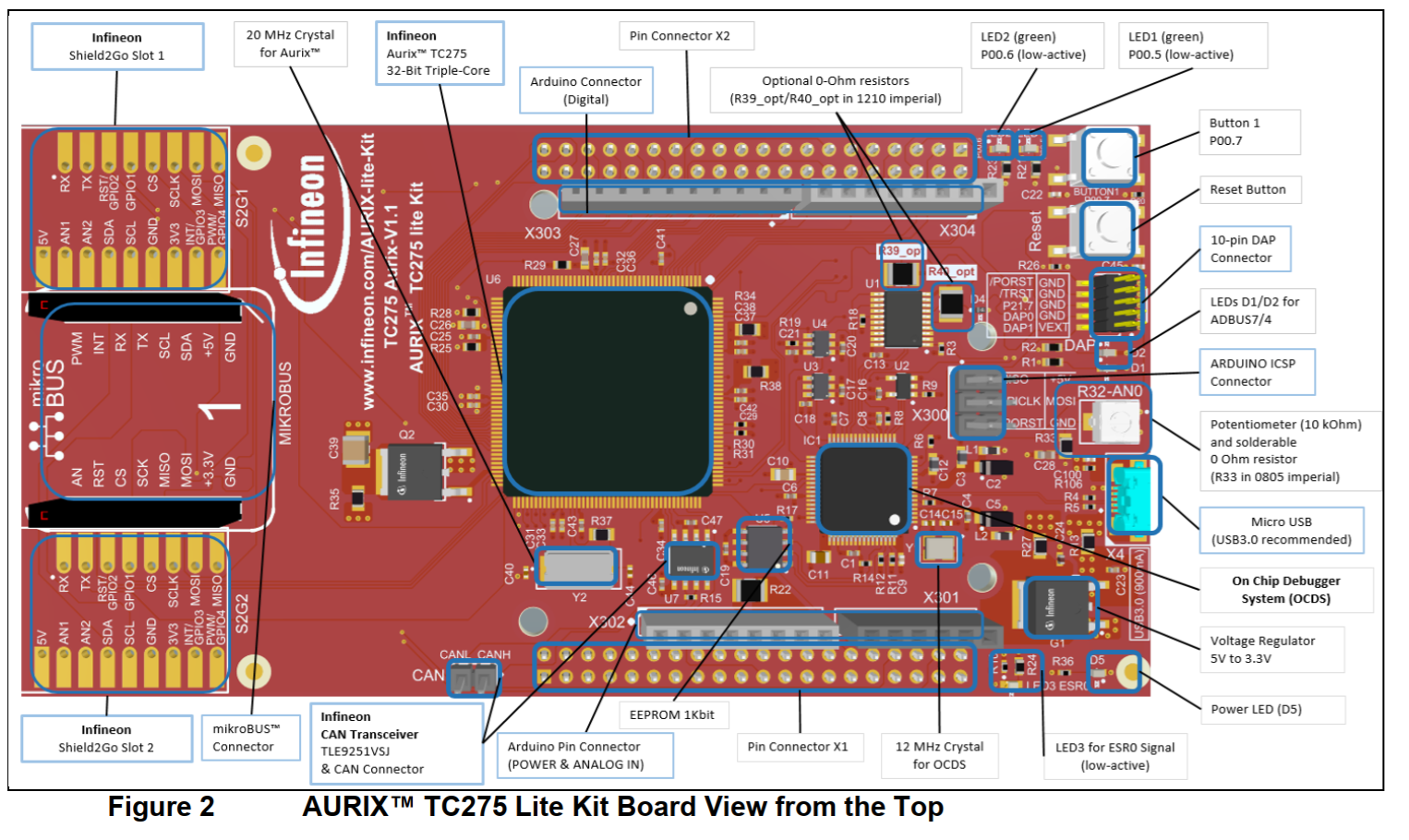
Built-in debugger — no extra hardware needed
The TC275 Lite board has an onboard debugger. Connect it via USB and you can download software and debug without any additional equipment. Real-world debuggers like Trace32 cost anywhere from hundreds of thousands to millions of won. The fact that TC275 Lite includes one onboard is a huge deal.
Pricing varies depending on supply and timing, so check the links below for current prices.
Where to Buy the TC275 Lite
Option 1: Mouser Korea
-
Search for 'Mouser Korea' and go to the site. Create an account first.
-
Search for TC275 in the search bar.
-
Select the board with part number 726-KTAURIXTC275LITE.
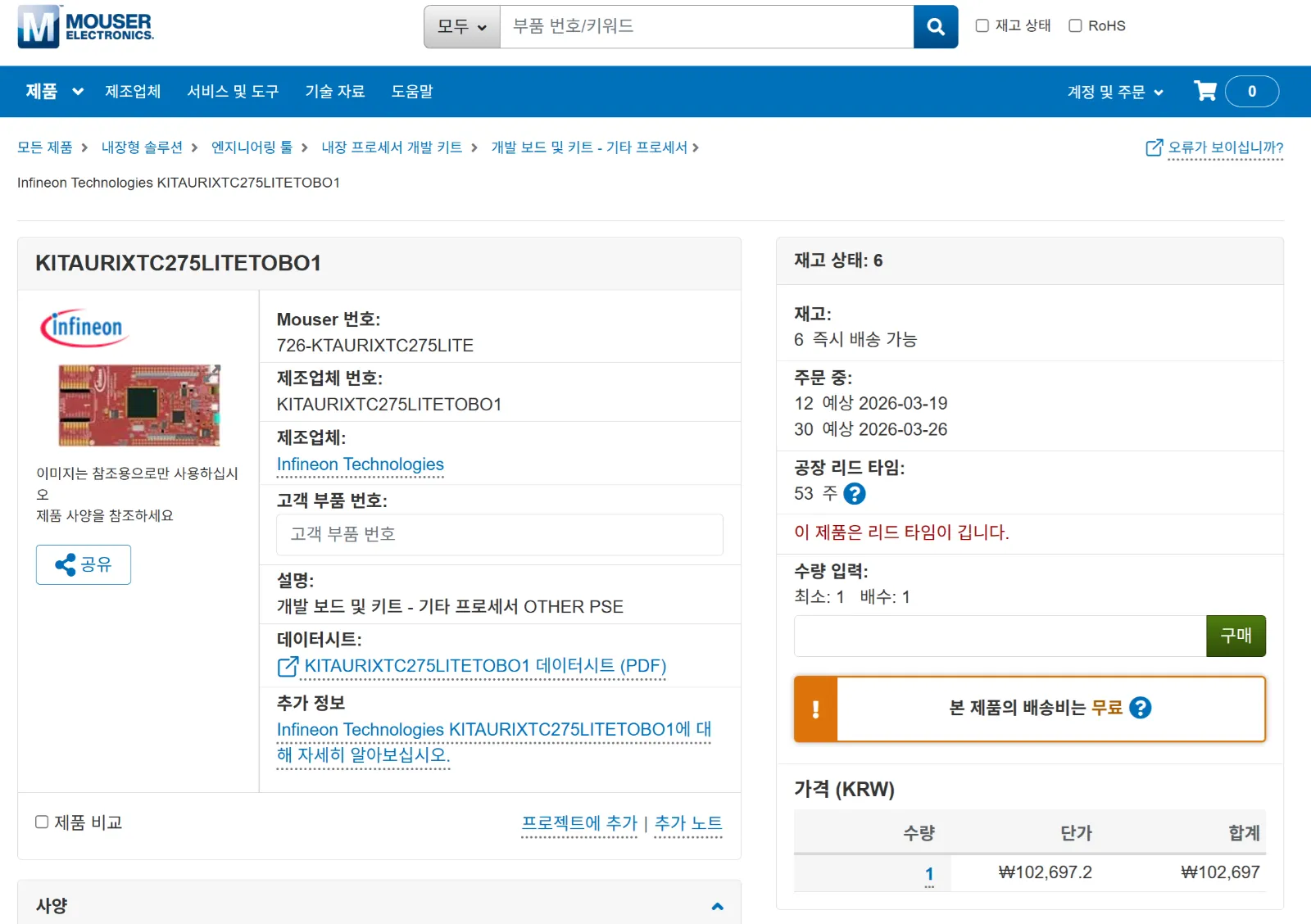
- Enter your quantity and proceed to checkout.
💡 Note: When I first bought this board, it was around ₩52,000. Prices fluctuate based on semiconductor supply. Always check current pricing before ordering.
Option 2: DigiKey Korea
DigiKey also carries the same board.
👉 https://www.digikey.kr/ko/product-highlight/i/infineon/aurix-tc275-lite-kit
Part number: KITAURIXTC275LITETOBO1 — same board, same specs. Check both sites and go with whichever has better availability and pricing at the time.
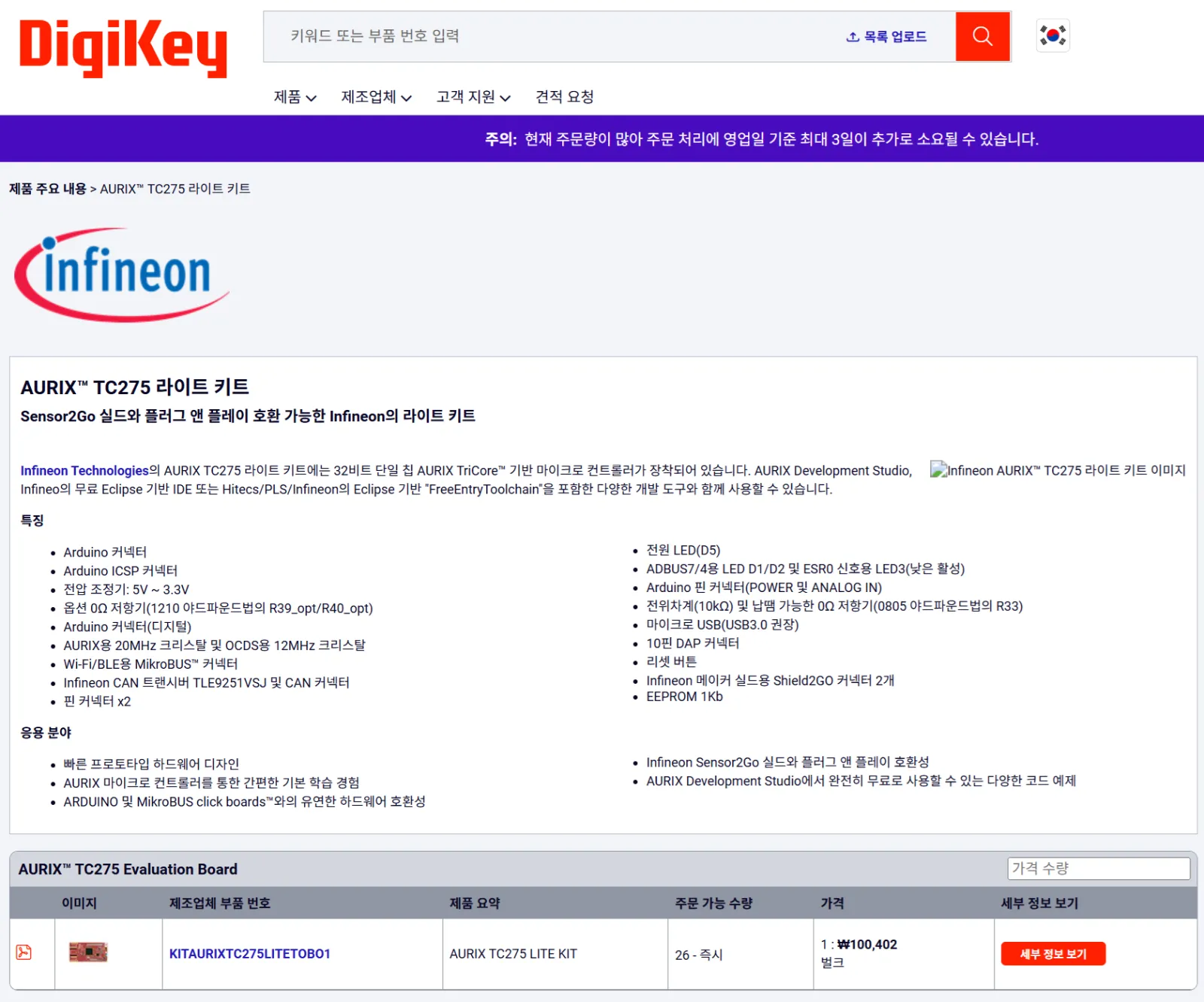
💡 Free shipping tip: Both Mouser and DigiKey offer free shipping on orders over ₩60,000. Ordering two boards (or bundling with other components) gets you there easily.
What Is a Dev Environment?
Once your board arrives, you need to set up a development environment. But what does that actually mean?
In one sentence:
"Building the environment that lets you write code on your PC, put it inside the MCU, and verify that it works correctly."
To do that, you need three things:
-
Source code editor — write the code
-
Compiler — convert code into machine language the MCU understands
-
Downloader & debugger — flash it onto the MCU and check behavior
Let's go through each one.
① Source Code Editor
This is the program you use to write code. The most popular editor today is VS Code — used by over 70% of developers worldwide, it's become the de facto standard.
Three reasons VS Code stands out:
-
Completely free. No license fees, no trial limits.
-
Thousands of Extensions — think of them like apps you install to add features. C/C++ autocomplete, syntax highlighting, Git integration, and more. You can build a fully customized development environment without spending a cent.
-
Excellent AI integration. Extensions for GitHub Copilot, Claude, and other AI coding tools are well-supported. This series will use VS Code as the base editor, with AI-assisted development throughout
👉 Download VS Code: https://code.visualstudio.com/download
② Compiler (Cross Compiler)
A compiler takes your C code and converts it into binary (machine code) that the MCU can execute. It runs on your PC, but the output runs on the MCU — that's what makes it a cross compiler.
There are free compilers like GCC — open source, widely used, and perfectly fine for personal learning projects.
But in automotive production, GCC isn't used. The reason is ISO 26262 functional safety certification. Automotive software requires that the compiler itself holds a safety certification. WindRiver, TASKING, and Greenhills are all certified; GCC is not. That's why companies pay for expensive licensed compilers.
Here's the good news: AURIX Development Studio (ADS) includes the TASKING compiler for free. The same compiler used in real automotive ECU development — available to you at no cost. That's a genuine advantage of the TC275 Lite ecosystem.
③ Downloader & Debugger
Once your code is compiled, you need to flash it into the MCU's Flash memory and verify it runs correctly. In production environments, engineers use Trace32 — a debugger that costs tens of thousands of dollars.
At home, we can't afford that. But the TC275 Lite has an onboard debugger that connects via USB. It handles both flashing and debugging. It's not as powerful as Trace32, but it's more than enough to learn and build real projects.
At Home: One IDE Does Everything
In a professional setting, each of these three tools is purchased and managed separately. At home, we can use a single IDE (Integrated Development Environment) that bundles all three. Infineon provides one for free.
Installing AURIX Development Studio (ADS)
Step-by-Step
1) Create an Infineon account
👉 https://www.infineon.com/cms/korea/kr/
2) Download AURIX Development Studio
👉 https://softwaretools.infineon.com/tools?q=aurix
Select AURIX Development Studio and download it.
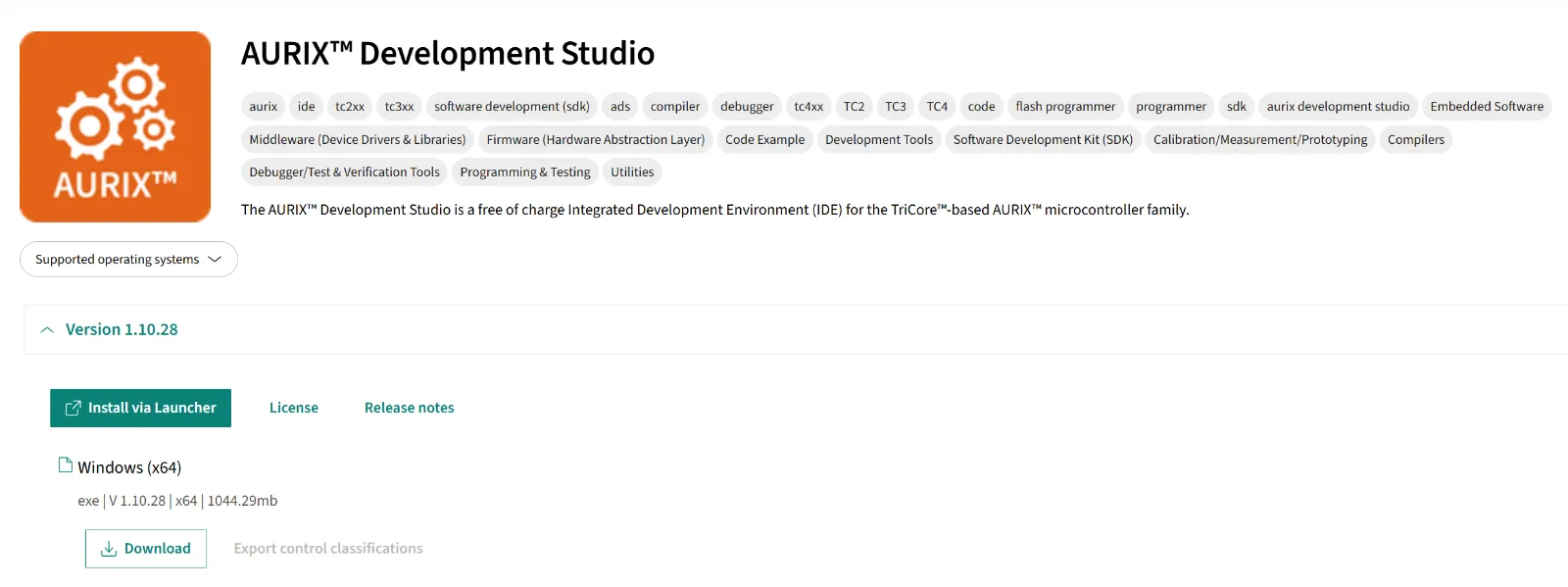
3) Run the installer → click Next → complete installation
During installation, DAS (Device Access Server) will also be installed. DAS is the software that enables communication between your PC and the board over USB. Without it, the board won't be recognized. Make sure it installs successfully.
4) Launch AURIX Development Studio
This single tool handles source code editing, compilation, flashing, and debugging. A complete, free IDE — all in one.
Wrapping Up
Here's the summary:
-
Infineon dominates automotive MCUs for three reasons: ISO 26262 hardware safety, built-in cybersecurity (HSM), and multi-core architecture
-
TC275 Lite is available on Mouser and DigiKey — compare prices and availability
-
Free shipping on both platforms for orders over ₩60,000
-
ADS is a free IDE that includes the TASKING compiler — no additional tools needed
-
The onboard debugger means USB is all you need to start developing
In the next post, I'll walk through creating your first project in ADS and getting an LED to blink on the TC275 board.
See you there.
— AI Craft Toby | aicraftlog.com
Related Posts
Stay Updated
Get notified when I publish new posts. No spam, unsubscribe anytime.