
Build Log #8: How to Register Google Search Console — Get Your Blog Indexed on Google
How to register your blog with Google Search Console, submit a sitemap, and apply basic SEO to get your blog indexed and visible in search results.
In the previous post, I applied for Google AdSense.
But there's a problem. No matter how great the content is, if my blog doesn't show up when people search on Google, there are no visitors. No visitors means no ad revenue.
This post explains how to make your blog appear in Google search results.
Why Doesn't My Blog Show Up in Search?
Creating a blog doesn't automatically make it appear on Google.
Google uses a robot called Googlebot (crawler) that travels across websites worldwide, collecting information. This robot needs to visit your blog before Google even knows it exists.
The problem is that a brand new blog is unknown to Google. Nobody has linked to it, and the crawler has never visited.
So we need to tell Google directly. "Hey, there's a new blog here. Come check it out."
The tool for this is Google Search Console.
What is SEO?
Before we dive in, let's define SEO.
SEO (Search Engine Optimization) refers to all activities aimed at making your blog appear higher in Google search results.
SEO breaks down into three categories.
1. Technical SEO — Setting up your site so Google can read it properly. Sitemap submission, robots.txt configuration, page speed optimization. This is what we're covering today.
2. Content SEO — Writing quality content that matches what people are searching for. Titles, article structure, keyword placement.
3. Off-page SEO — Getting other websites to link to your blog. Also called backlinks. Sharing on Reddit, Medium, etc. falls into this category.
Today we focus on Technical SEO, specifically Google Search Console setup.
What is Google Search Console?
Google Search Console is a free site management tool provided by Google.
Here's what you can do with it:
-
Register your blog with Google
-
Submit a sitemap so Google knows about all your pages
-
See which search terms bring people to your blog
-
Check for crawling errors
-
Monitor your search result rankings
Think of Google Search Console as the communication channel between Google and your blog.
Setting Up Google Search Console
Step 1: Access Search Console
Go to https://search.google.com/search-console and log in with your Google account.
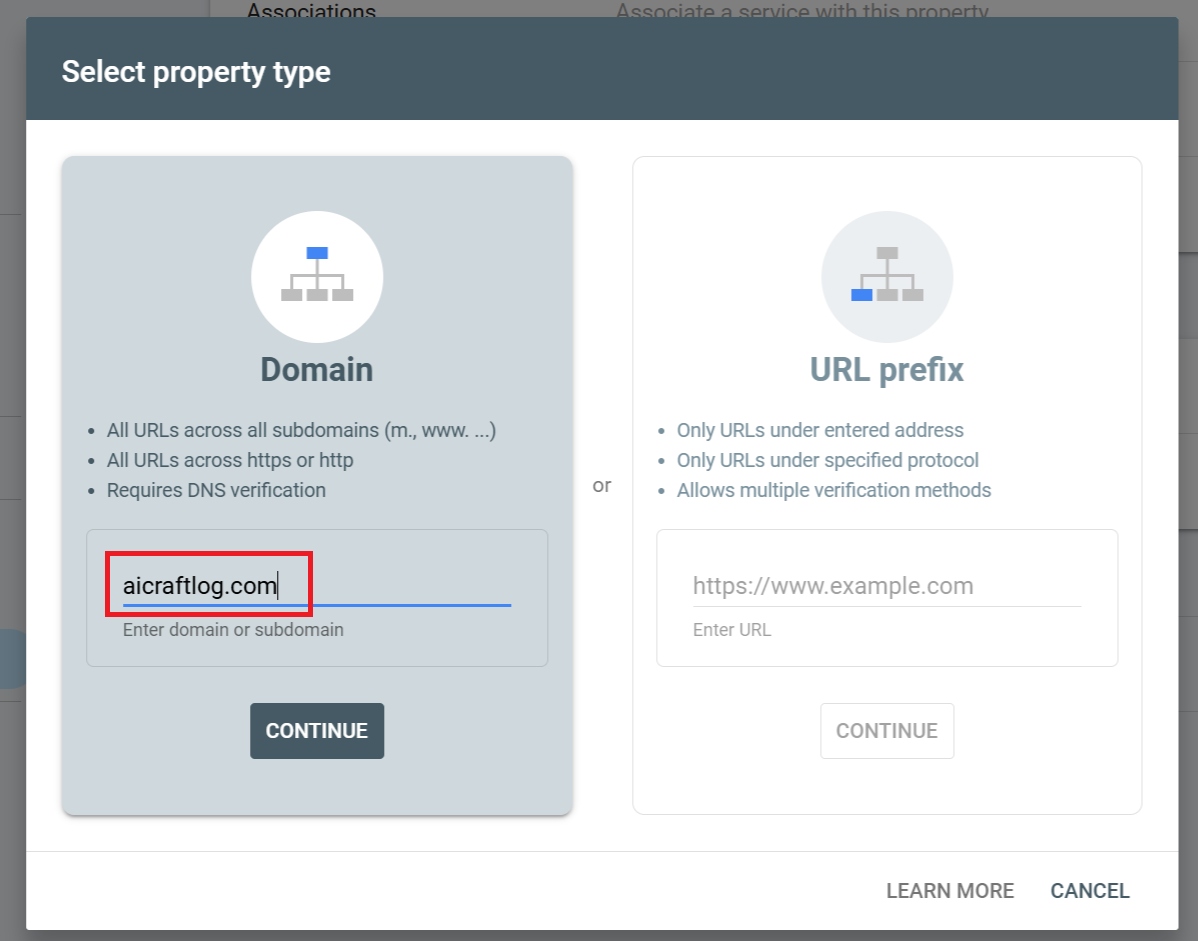
Step 2: Add Property
Click "Add property" and choose one of two options:
-
Domain —
aicraftlog.com(registers entire domain, requires DNS verification) -
URL prefix —
https://aicraftlog.com(registers specific URL, multiple verification methods)
If you're using Cloudflare, I recommend the Domain method. It covers all combinations of www, http, and https in one registration.

Step 3: Verify Ownership
With the Domain method, you need to add a TXT record to your DNS.
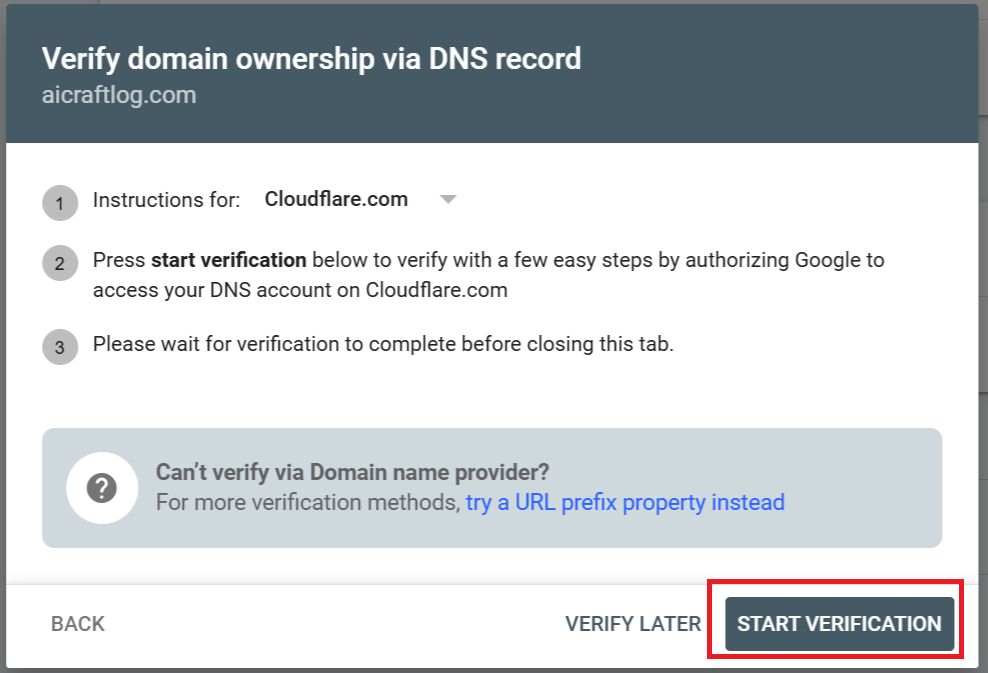
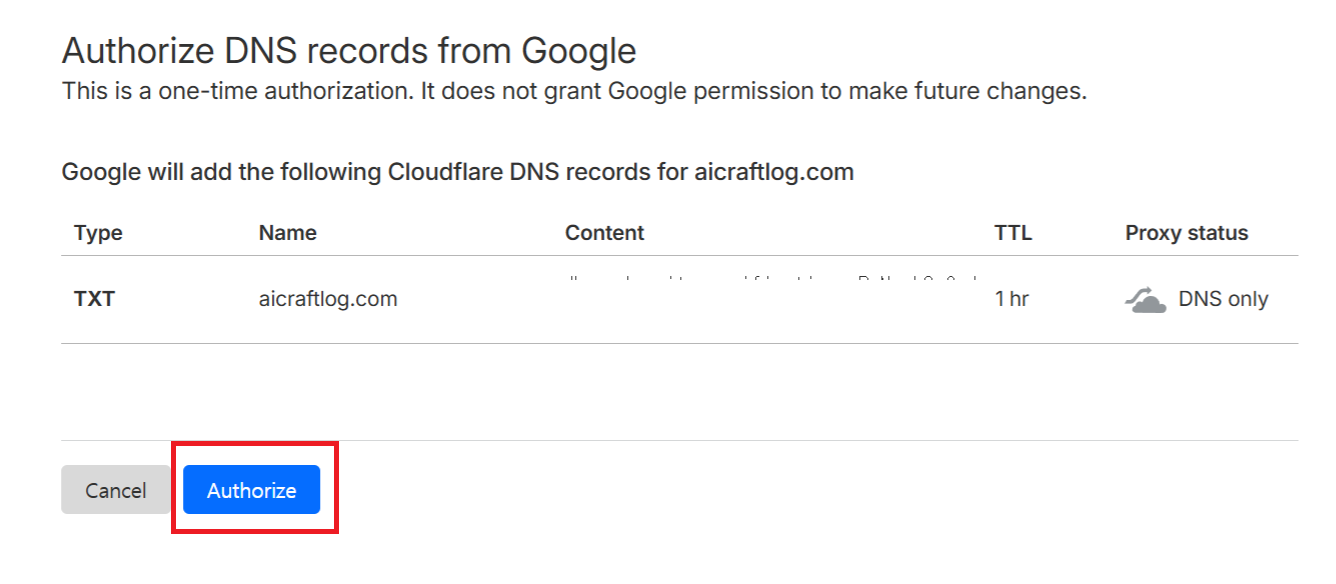
Copy the TXT record value Google provides, then add it to your DNS settings in the Cloudflare dashboard.
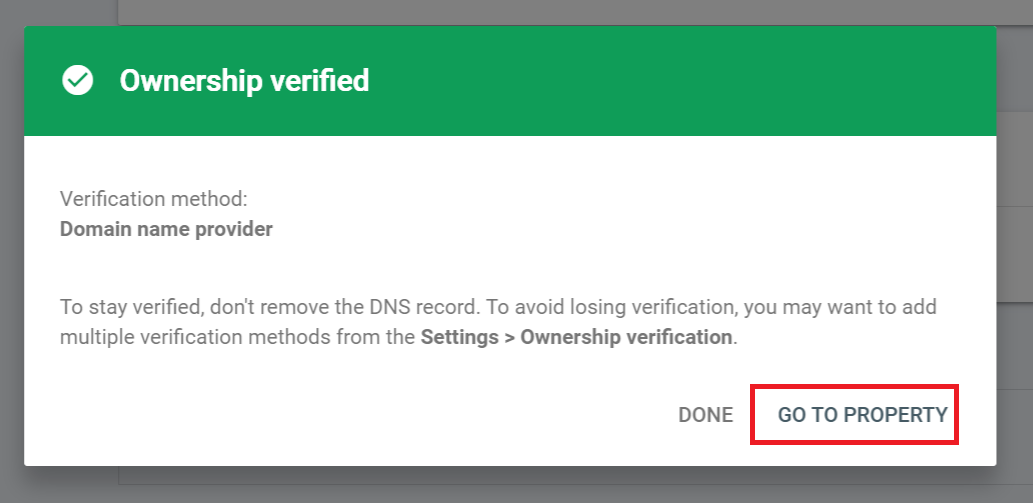
DNS propagation can take a few minutes to a few hours. Click the verify button, and once it succeeds, move to the next step.
Step 4: Submit Sitemap
A sitemap is a list of all pages on your blog. It's like a map that tells Google's crawler "here are all the pages on our blog."
In Search Console, click "Sitemaps" in the left menu and enter your sitemap URL:
[https://aicraftlog.com/sitemap.xml](https://aicraftlog.com/sitemap.xml)
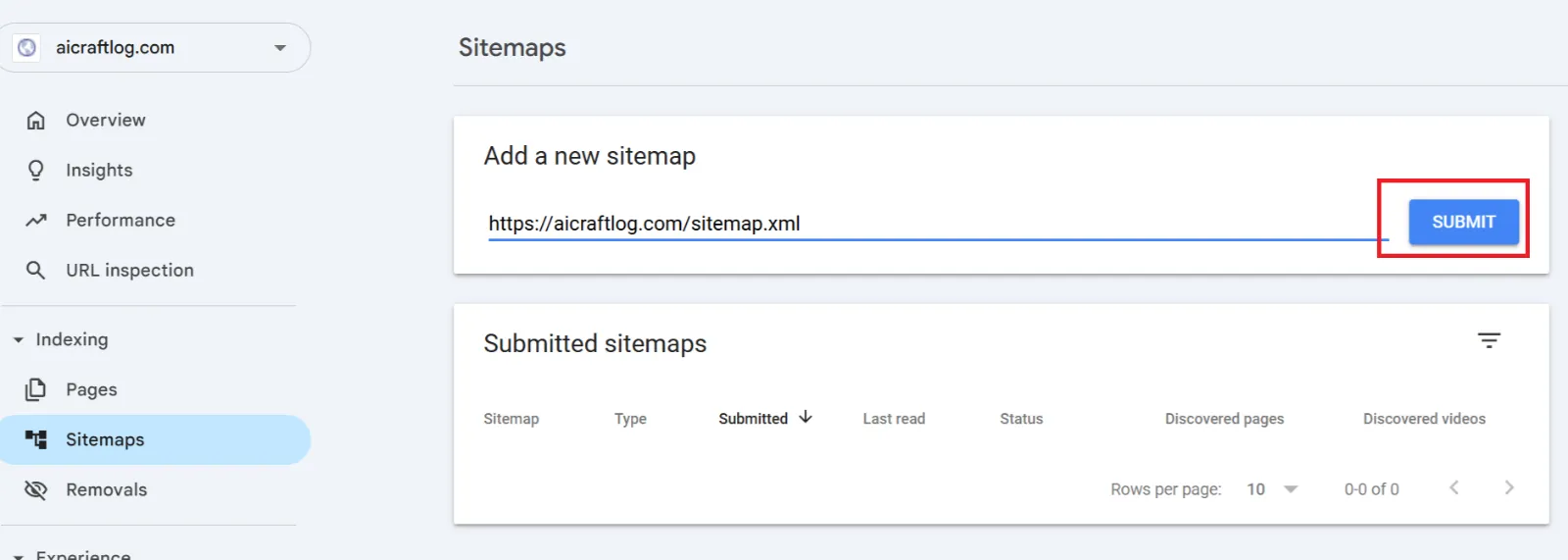
If you don't have a sitemap yet, ask Claude Code:
Generate a sitemap.xml file for the blog that includes

all blog posts and pages. Also create a robots.txt file

that allows all search engines to crawl the site and

points to the sitemap.
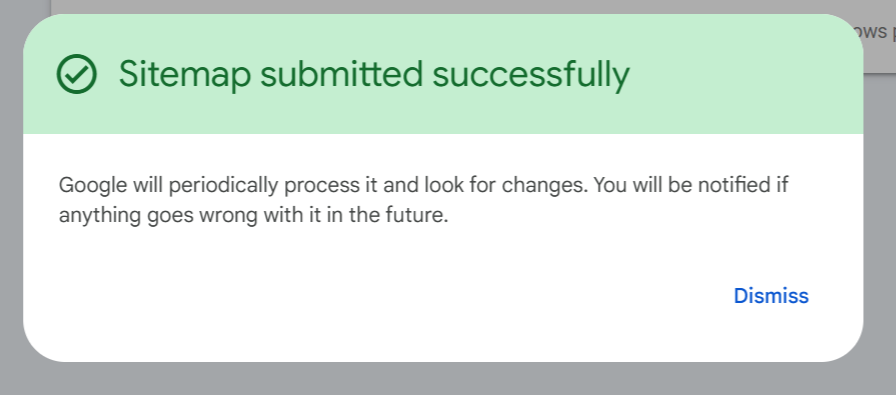
Once submitted and marked "Success," you're done. Google will read the sitemap and begin crawling all pages on your blog.
robots.txt Setup
robots.txt is a file that tells search engine crawlers which parts of your site they can and can't visit.
For a blog, you want to allow everything:
User-agent: *

Allow: /

Sitemap: [https://aicraftlog.com/sitemap.xml](https://aicraftlog.com/sitemap.xml)
This file should be located at https://aicraftlog.com/robots.txt.
You can ask Claude Code to set this up too:
💡 Create a robots.txt file in the public directory with the following content:
User-agent: *
Allow: /
Sitemap: https://aicraftlog.com/sitemap.xml
Also generate a sitemap.xml that includes all blog posts and pages.
Requesting Individual Page Indexing
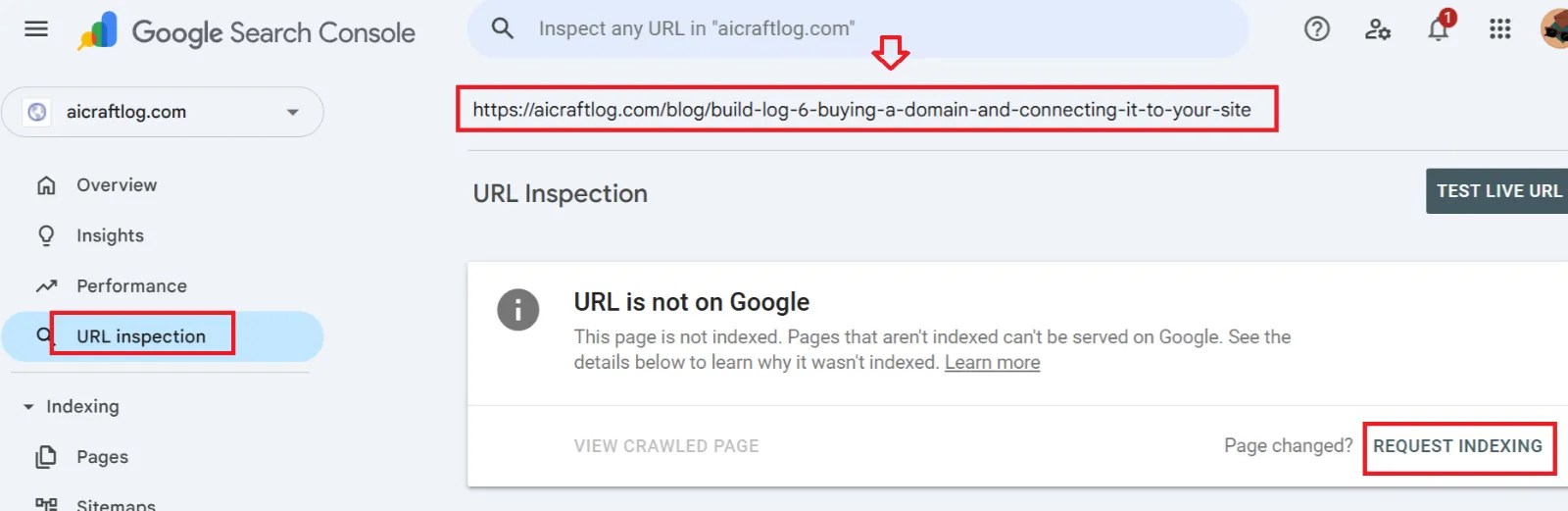
Even after submitting a sitemap, Google doesn't crawl every page immediately. To get a new post indexed quickly, you can request individual page indexing.
Enter the new post's URL in the search bar at the top of Search Console:
[https://aicraftlog.com/blog/build-log-07](https://aicraftlog.com/blog/build-log-07)
Click "Request indexing." Google will prioritize crawling that page. It typically appears in search results within hours to a few days.
Do this every time you publish a new post to speed up search visibility.
Checking Search Visibility
After setup, let's verify your blog actually appears on Google.
Search Google with:
site:[aicraftlog.com](http://aicraftlog.com)
This shows all pages on your blog that Google has indexed. Nothing may show up at first, but pages will start appearing within days after sitemap submission.
Basic Tips for Higher Search Rankings
Registering with Search Console is just the beginning. To rank higher in search results, the content itself needs to be strong.
1. Put keywords in your titles — Include words people actually search for. "How to Apply for Google AdSense" ranks better than "Build Log #7."
2. Structure your content clearly — Use proper headings (H1, H2, H3). Google's crawler reads this structure to understand your content.
3. Write meta descriptions — The short description that appears below the title in search results. Well-written descriptions increase click-through rates.
4. Add alt text to images — Google can't read images directly. Alt text helps Google understand image content.
5. Publish consistently — Sites that regularly post new content get crawled more frequently and rank higher.
All of this can be requested through Claude Code:
Review all blog posts and improve SEO:

- Add meta descriptions to every page

- Add alt text to all images

- Ensure proper heading structure (H1, H2, H3)

- Optimize page titles with relevant keywords
AI Does SEO Too
The core message is the same as always.
SEO involves checking and optimizing dozens of items — meta tags, image alt text, sitemaps, page speed, structured data, and more. Doing this manually takes days.
But ask Claude Code to "improve SEO", and AI analyzes the entire site and fixes everything at once.
We only need to do two things:
-
Register the site on Google Search Console
-
Ask Claude Code to improve SEO
AI handles the rest.
Summary
Here's what we did in this post:
-
Understood SEO concepts — Search Engine Optimization: technical, content, and off-page
-
Registered the blog on Google Search Console — Ownership verification + sitemap submission
-
Configured robots.txt — Allowing crawlers to access all pages
-
Requested individual page indexing — Getting new posts into search results faster
-
Applied basic SEO tips — Keywords, structure, meta descriptions, alt text
The blog's entire technical infrastructure is now complete:
Code generation (Claude Code)

→ Code management (Git + GitHub)

→ Build + Deploy (Cloudflare Pages)

→ Domain connection ([aicraftlog.com](http://aicraftlog.com))

→ Monetization (Google AdSense)

→ Search visibility (Google Search Console + SEO)
Coming Next
The technical setup is done.
Now it's time to focus on content. What kind of posts will bring people to the blog? Which topics get the most search traffic?
Next post: Blog content strategy — what to write so people actually find you.
See you in Build Log #9.
I'm an embedded software developer building AI-powered web services with zero web experience. Follow the journey at [aicraftlog.com](https://aicraftlog.com/).
Related Posts
Stay Updated
Get notified when I publish new posts. No spam, unsubscribe anytime.