AI Tools #1: Claude Skills — Give AI a Manual, and the Results Change
"Did you know AI reads a secret file before starting any task? Same Claude, same request — but with Skills, the results are completely different. Learn what Claude Skills are, see real before/after examples, and discover how to create your own custom Skills."
Have you ever asked AI to "make a PowerPoint"?
How did it turn out? Probably something like this.
White background with a blue title. Slides packed with bullet points. That unmistakable AI-generated design.
"You can tell AI made this..."
But there's a way to give the same AI the same request and get a completely different result.
It's called Skills.
What Are Skills?
Skills are a manual you give to the AI before it starts working.
Let me use an analogy.
A new employee just joined your company. They're smart, but they don't know your company's way of doing things. When you ask them to "write a report," they produce something in their own style. The format is different, the tone is off — something just feels missing.
But what if you gave them a report writing guide first? "Use this font for the title, follow this structure for the body, and always include a summary at the end."
The result would be completely different.
That's exactly what Skills are. A manual that tells the AI "how to do things well" before it starts.
So what is this manual that AI reads before starting a task? It's a set of prompts — instructions carefully written in advance by experts. In Claude, this is called a Skill.
"Don't use blue when making a PowerPoint," "Change the layout for every slide," "Always do a visual inspection after completing it" — these specific instructions are organized in a single file, and the AI reads this file before starting any task.
Real Example 1: Photos → Word Document, Automatically
My wife took photos of our child's English textbook vocabulary list. There were 11 screenshots.
"Can you organize this neatly into a Word file?"
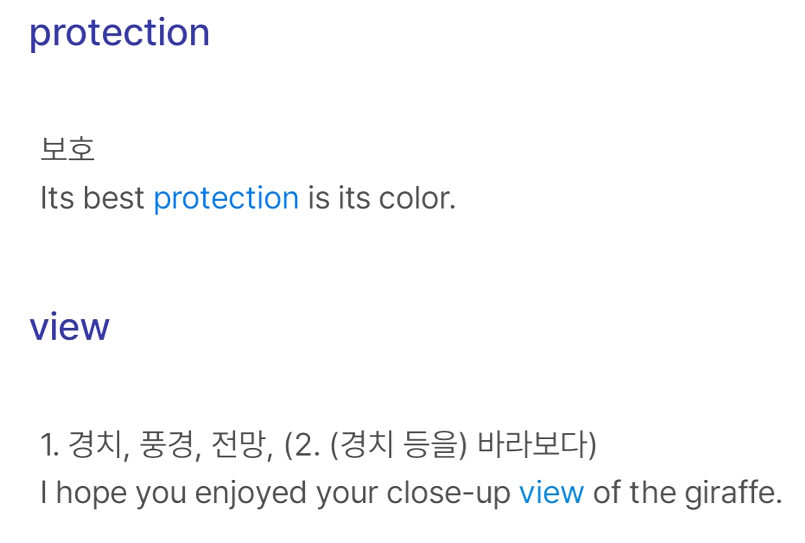
I gave the photos to Claude and described the format I wanted.
-
Page 1: Full English original text
-
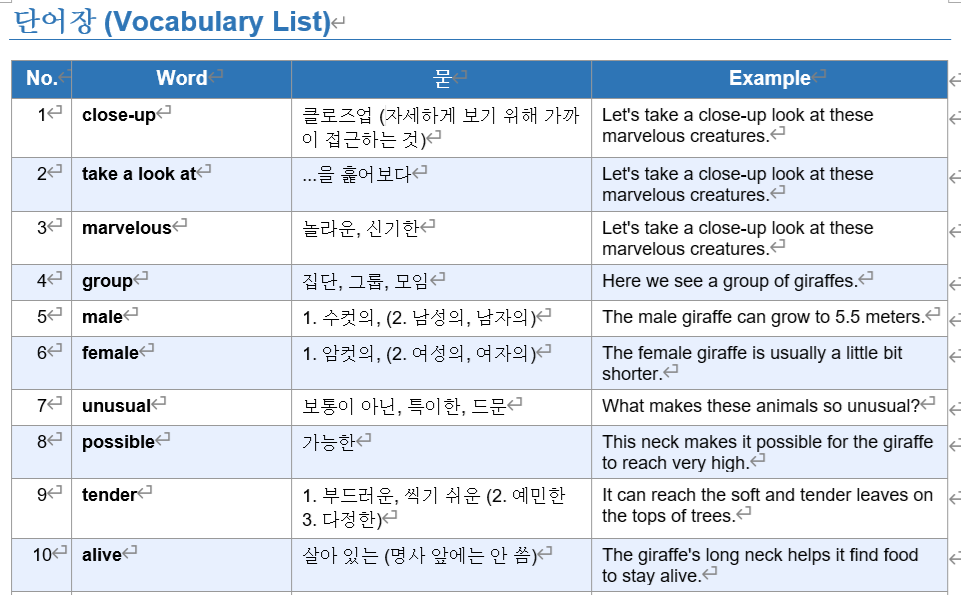
Page 2: Vocabulary table (number, word, meaning, example sentence)
The result? A Word document with 32 words neatly organized in a table was generated right away.
The important point here is that Claude read the docx Skill first before creating the Word document.
Inside this Skill, here's what was written:
-
Which library to use for generating Word documents
-
How to format tables cleanly
-
Page layout and margin settings
-
How to insert images
-
Quality assurance (QA) methods after creation
The AI didn't just "figure it out on its own." It made it after following a verified manual.
Real Example 2: Automatic Presentation Generation
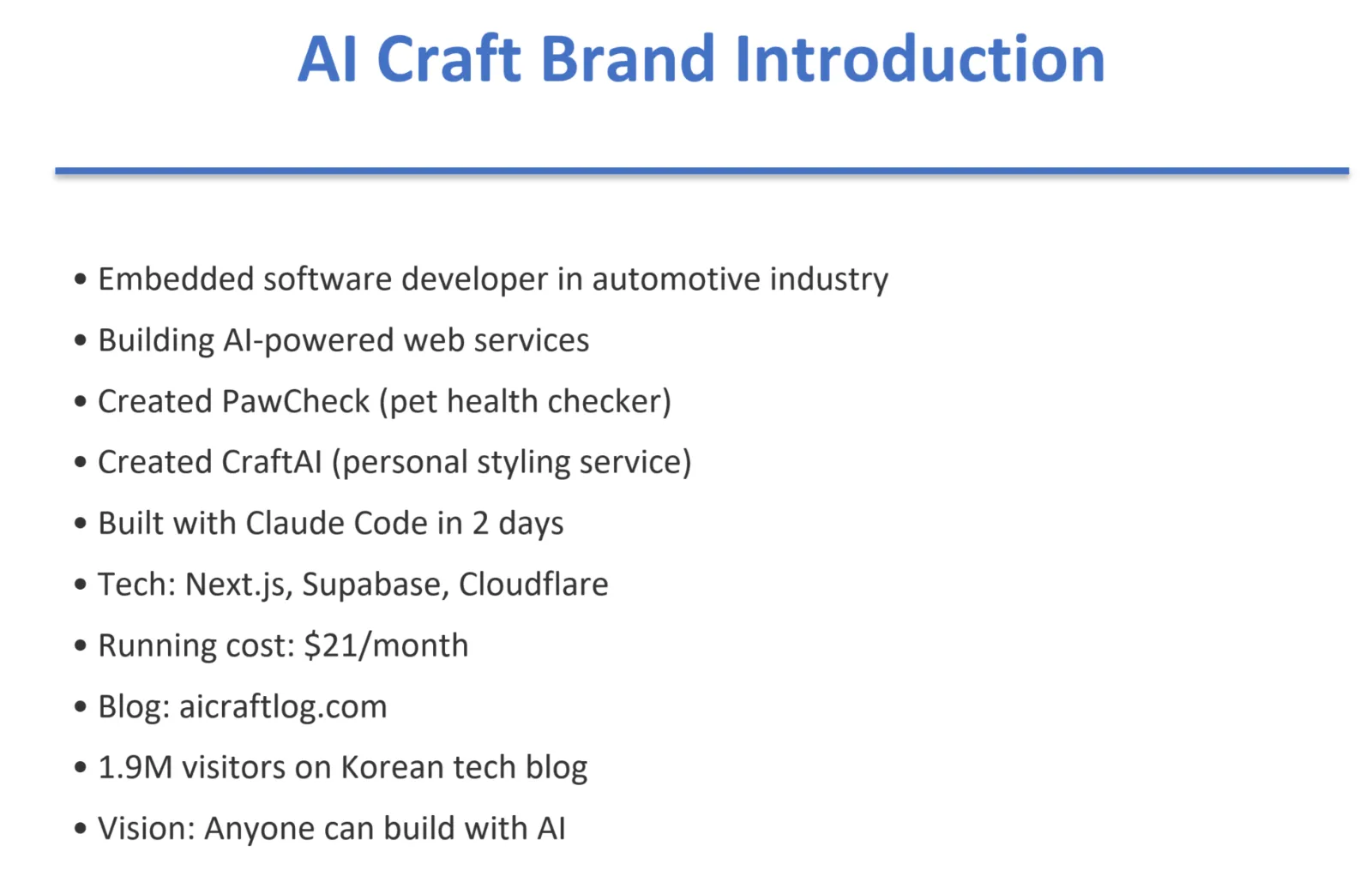
"Make a 5-slide PowerPoint introducing the AI Craft brand."
Here's what Claude did with just that one sentence.
Step 1: Read the SKILL.md file first
Inside the PPT Skill, there's some surprising content:
-
10 color palettes are prepared, and it explicitly states "Don't use blue as the default — choose a color that matches the topic"
-
8 font combinations are recommended
-
A rule that says never repeat the same layout across slides
-
A prohibition: "Never put an accent line below the title — this is a telltale sign of an AI-generated slide"
-
A QA process that says to convert to images and do a visual inspection after creating
Step 2: Generate PPT following the rules
It selected the Teal Trust palette, used a dark background for the title slide, and light backgrounds for the body slides. Each slide had a different layout — card style, grid style, and statistics highlight style.
Step 3: QA inspection
Converted to PDF → converted to images → visually reviewed each slide.
The result was a polished 5-slide presentation.
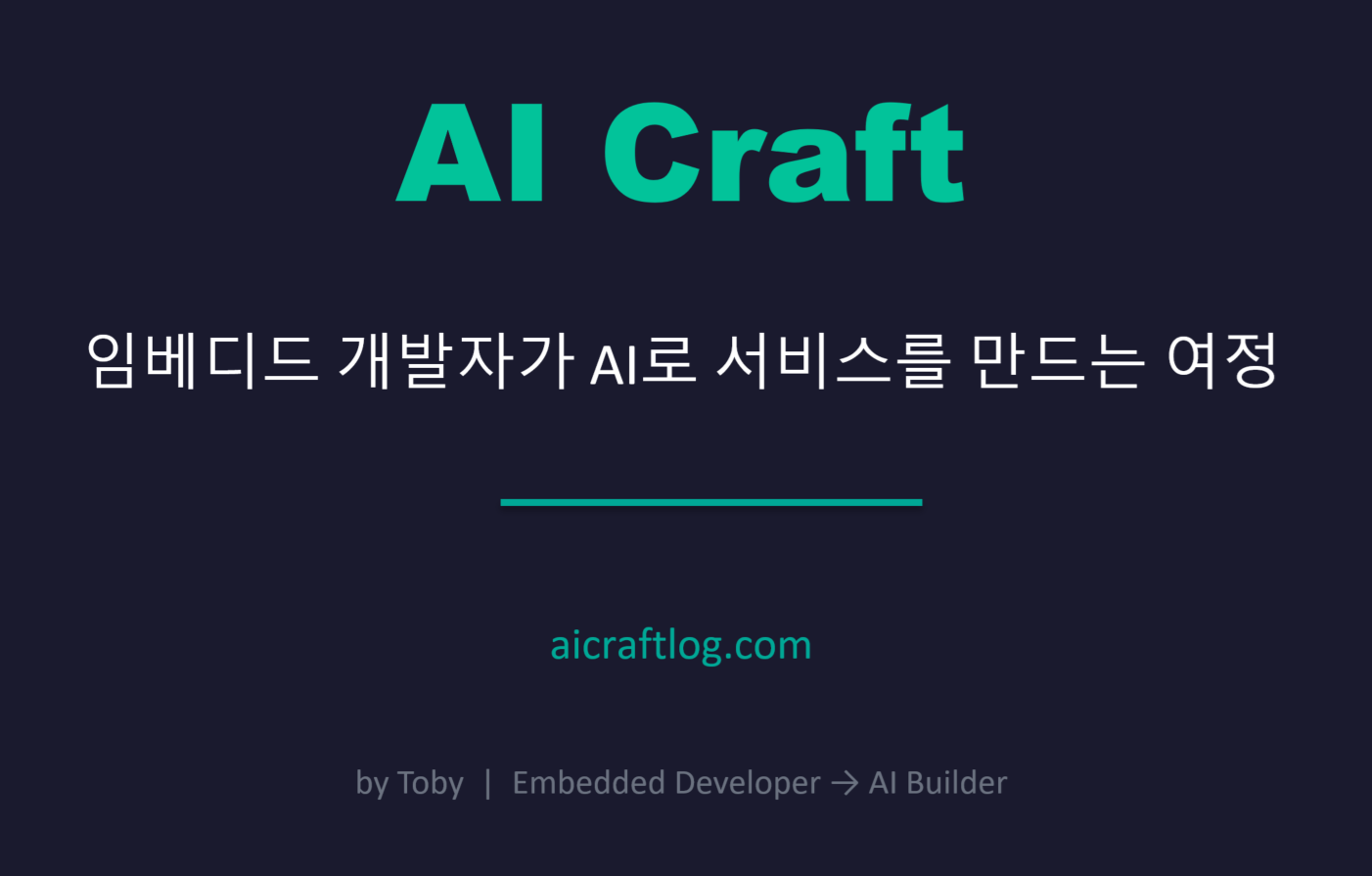
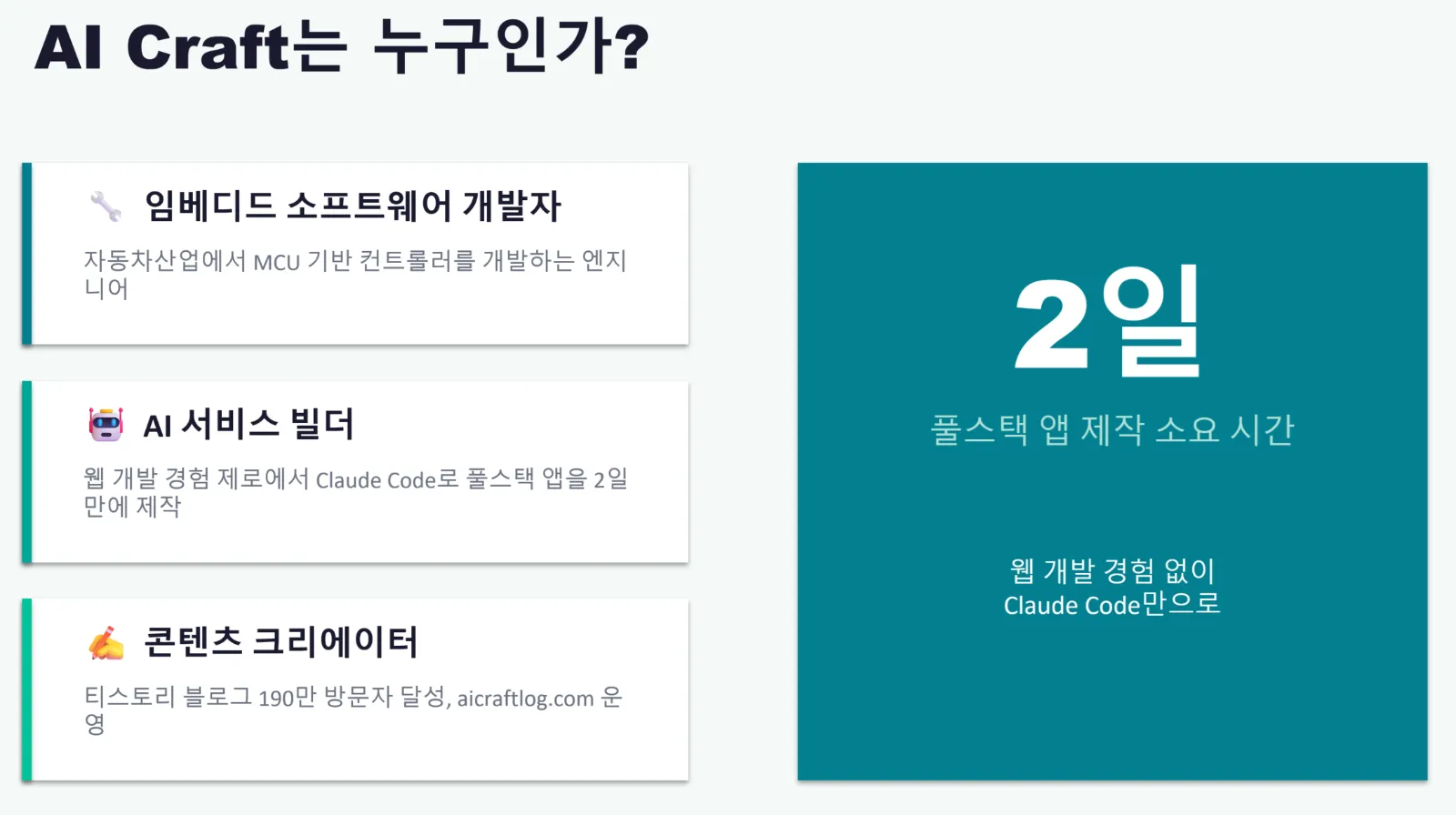
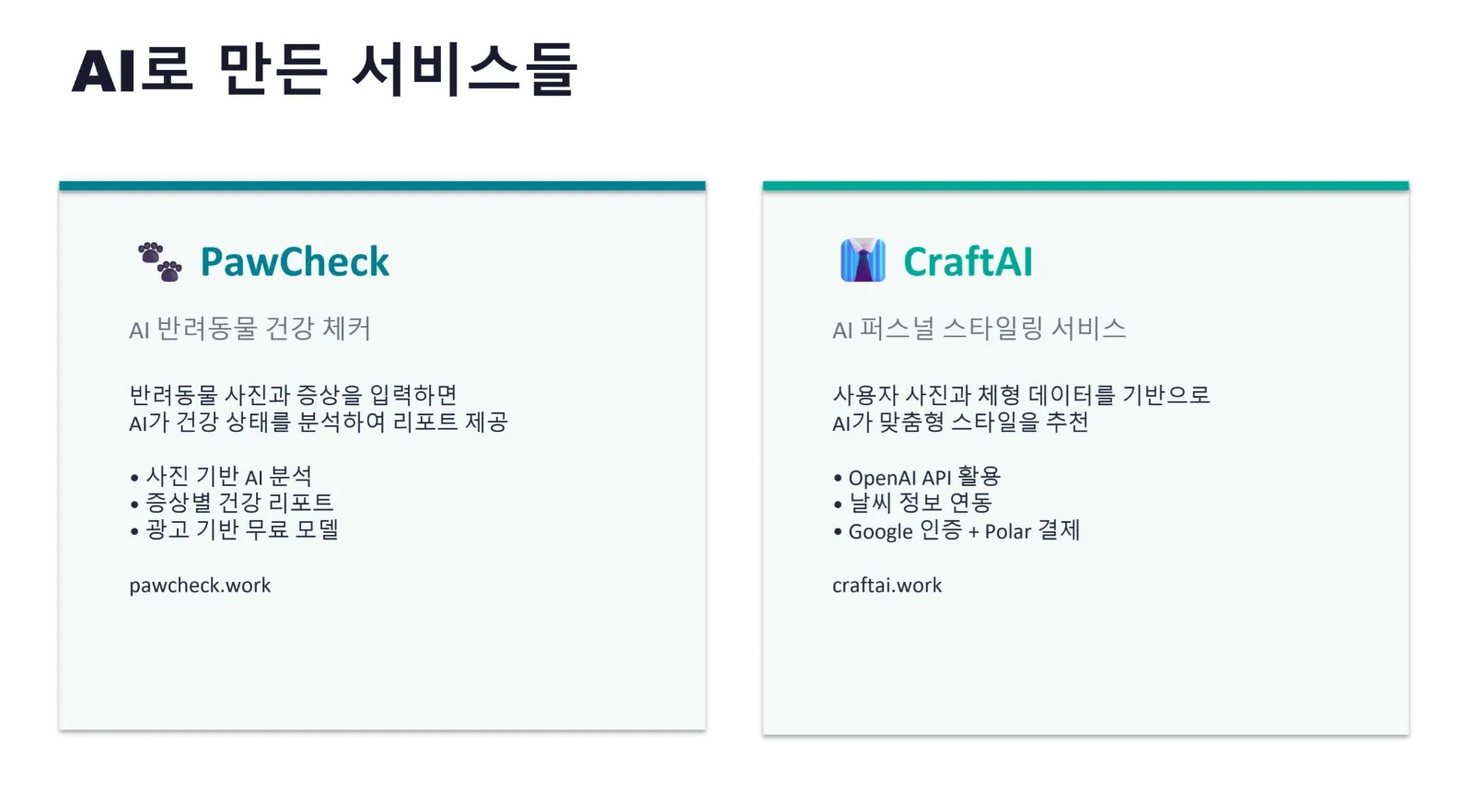
AI with Skills vs AI without Skills
Here's the difference for the same "make a PowerPoint" request.
PPT made without Skills:
-
White background + blue title
-
Same layout for every slide
-
Decorative line under the title (a typical AI habit)
-
Just bullet points listed out
-
No design consistency
PPT made with Skills:
-
Topic-appropriate color palette applied
-
Different layout for each slide (card, grid, statistics highlight)
-
Title/last slides are dark, body slides are light (sandwich structure)
-
Font pairing applied (title: Arial Black + body: Calibri)
-
Visual QA completed after generation
The reason for the difference comes down to one thing. Whether the AI read the manual before starting the task or not.
This Was Pre-Built by Anthropic
Here's an important fact to know.
These Skills were researched and built in advance by Anthropic — the company that made Claude.
How to make Word documents look clean, how to generate PowerPoints so they look like a human made them — they went through countless trials and errors to find the best methods and organized them into a manual.
Here are the Skills currently built in by default:
-
pptx — Presentation generation (color palettes, layouts, QA included)
-
docx — Word document creation and editing
-
xlsx — Excel spreadsheet generation
-
pdf — PDF reading, creation, and merging
-
frontend-design — Web UI design
When you say "make a PowerPoint," Claude automatically finds and reads the relevant Skill, then works according to those rules. No additional setup needed. It comes built in by default.
You Can Create Your Own Skills Too
Here's where it gets even more interesting.
Built-in Skills are general-purpose manuals made by Anthropic, but you can also create your own custom Skills.
When I write blog posts, I have my own style:
-
Always start by connecting to the previous post
-
Always explain technical terms with an analogy first
-
Use specific numbers ("in one hour" instead of "quickly")
-
Wrap up with an arrow flowchart of the entire journey
-
Write in both Korean and English simultaneously
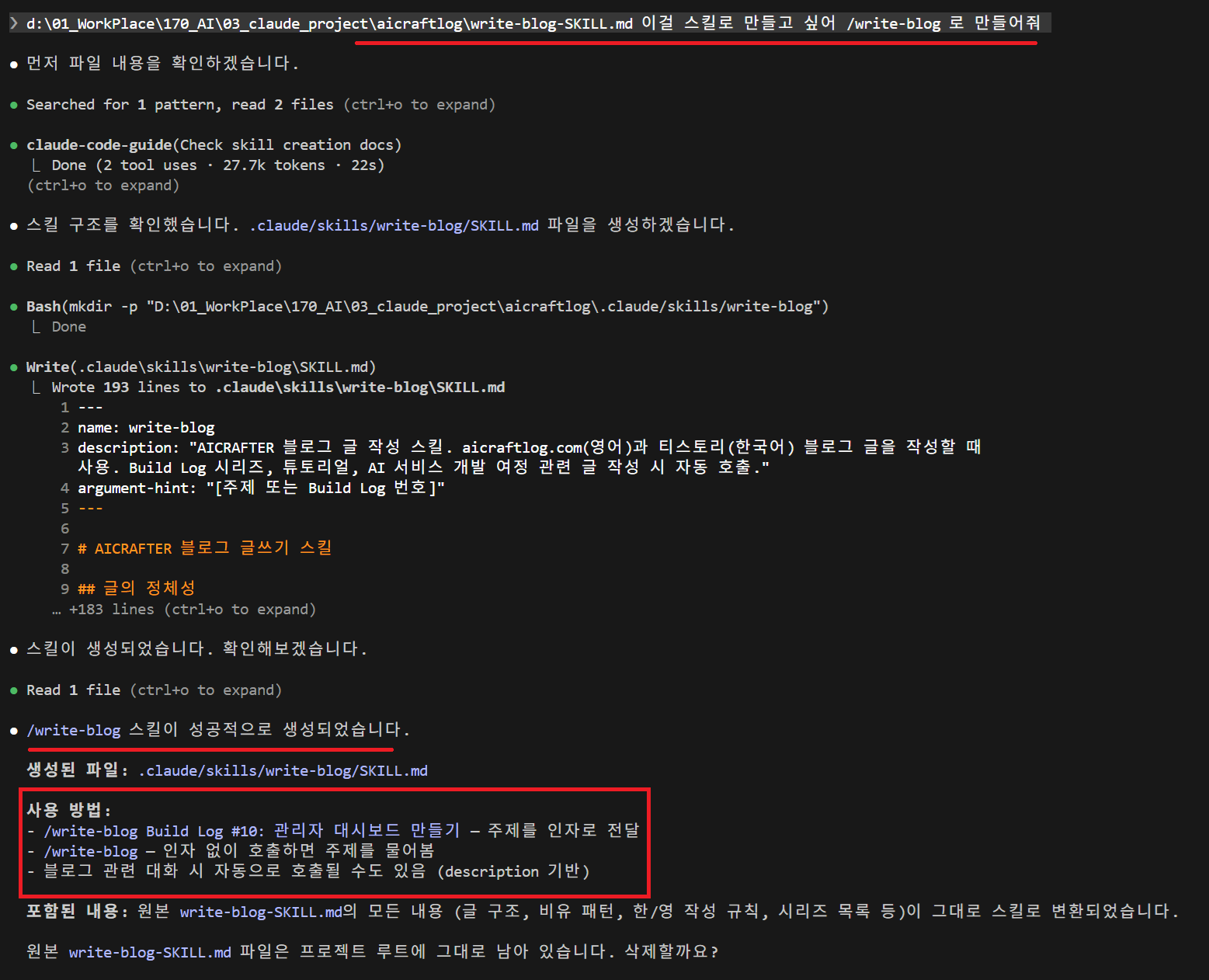
I turned this pattern into a Skill file called write-blog.
~/.claude/skills/write-blog/SKILL.md
By placing this file in my Claude Code project, I can just say "write a blog post" and it immediately produces a post in my exact style. Title format, intro structure, analogy patterns, even the signature — all applied automatically.
And this Skill can keep evolving over time.
v1: Define basic tone and structure only ↓ (After writing a few posts, SEO was weak) v2: Add SEO keyword rules ↓ (Reader feedback showed weak intros) v3: Strengthen hook patterns ↓ (Keeps evolving)
The more you use it, the more you build your own AI writing manual.
Below is the .md file that AI created based on my usual blog writing patterns.
You can paste this directly into Claude and ask it to write — or you can put this file into Claude Code and request it as a Skill with /write-blog.
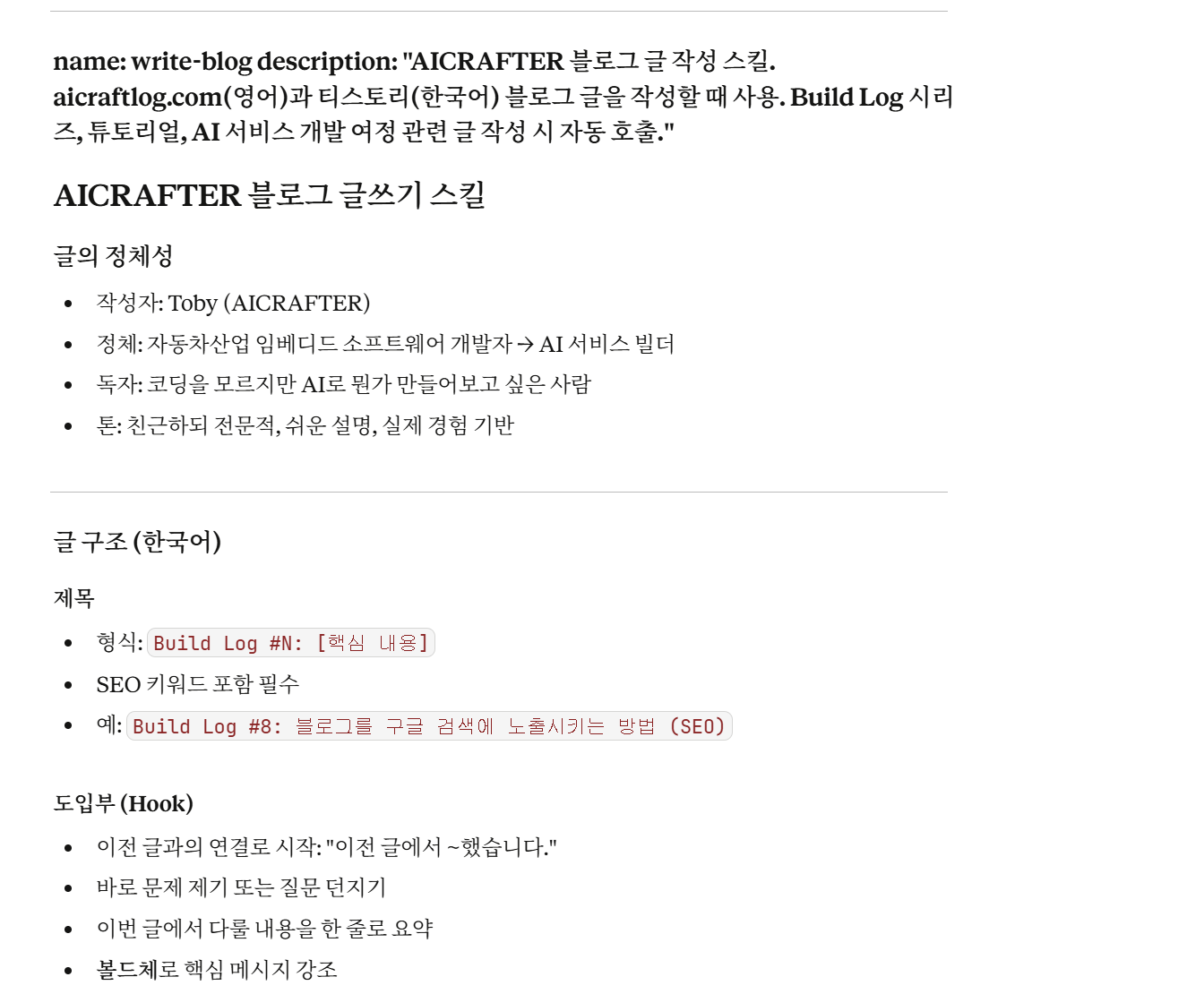
Below is where I requested Claude Code to create the Skill.
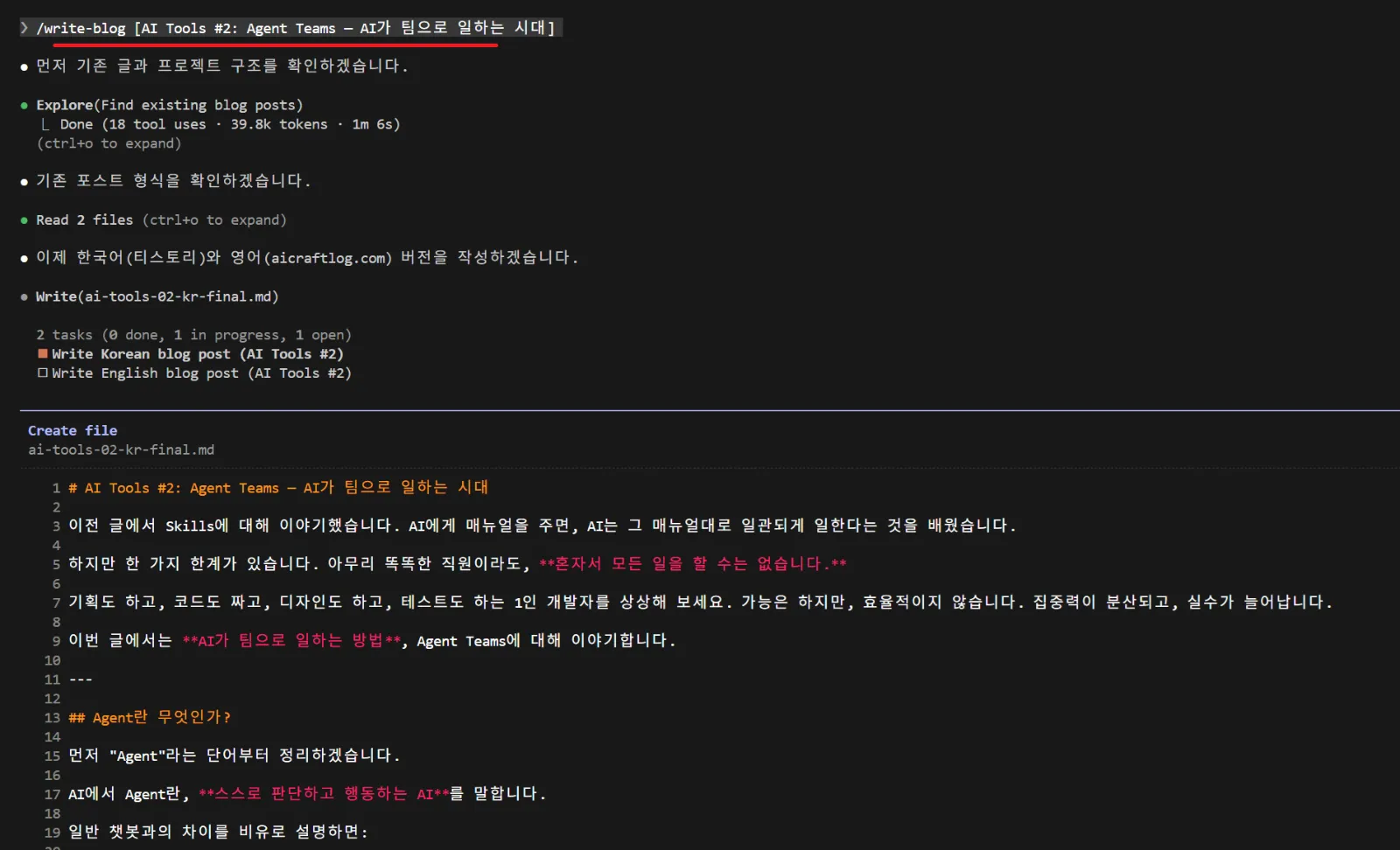
Then I asked it to write about the next topic, Agent Teams, using the Skill — and the post came out right away.
Summary
Skills are not complicated.
A manual that tells the AI how to do things well. That's all it is.
-
Built-in Skills by Anthropic → work by default in Word, PPT, Excel, PDF, and more
-
Your own custom Skills → create directly in Claude Code and keep improving
Even with the same AI, the results are different when there's a manual. Just like giving a guide to a new employee, you just need to give Skills to the AI.
Final Thoughts
Personally, using Anthropic's Claude and Claude Code, I felt one thing strongly.
We've entered an era where AI truly delivers real results.
It's not just an AI that only has conversations. It creates Word documents, designs presentations, builds games, and runs blogs. At a level that's hard to distinguish from something made by a human.
I'm convinced that the direction of jobs will change dramatically within the next five years. And the key to making those results truly impressive is Skills.
Skills will continue to evolve, and I expect even better results with minimal human effort going forward. I believe now is the best time to start.
Next Post Preview
In the next post, I'll cover Agent Teams — an era where AI works as a team. It's not about a single AI working alone — it's about multiple AIs dividing roles and collaborating.
See you in AI Tools #2.
I'm an embedded software developer in the automotive industry who builds AI-powered services as AICRAFTER. I'm documenting this journey at aicraftlog.com.
Related Posts
Stay Updated
Get notified when I publish new posts. No spam, unsubscribe anytime.